E-learning · Interaction
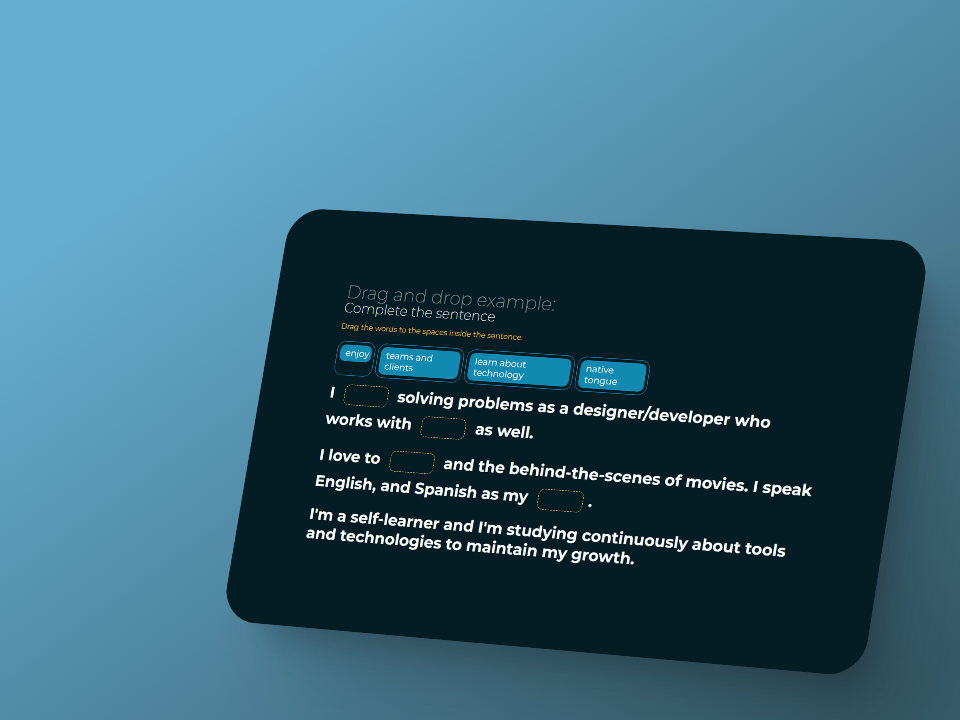
Complete the sentence
A drag-and-drop learning interaction, animated with GSAP.
Context
Fill-in-the-blank drag-and-drop is a staple of e-learning design. I wanted to build one entirely myself — from interaction logic to animation — as a benchmark of my craft, independent of the authoring tools I used at work.
Role
Interaction designer and sole developer. I designed the UX states, wrote all the JS drag-and-drop logic from scratch, and handled the animation layer with GSAP.
Process
- Mapped every interaction state: idle, dragging, correct drop, incorrect drop, and completion — then designed distinct visual and animated feedback for each.
- Built the drag-and-drop logic in vanilla JS, deliberately migrating away from a jQuery-based reference to learn and apply the modern equivalents — pointer events, element positioning, hit detection.
- Layered GSAP animations on top of the logic — drops, resets, the completion sequence — to make the interaction feel smooth rather than mechanical.
Outcome
A clean, reusable e-learning interaction built without authoring tools. The key learning: the discipline of migrating a legacy jQuery implementation to modern vanilla JS — understanding what every line actually does, rather than inheriting patterns blindly.